How I Fixed Google Ads "Misconfigured" Conversion Tracking in Google Tag Manager: A Real-World Troubleshooting Guide
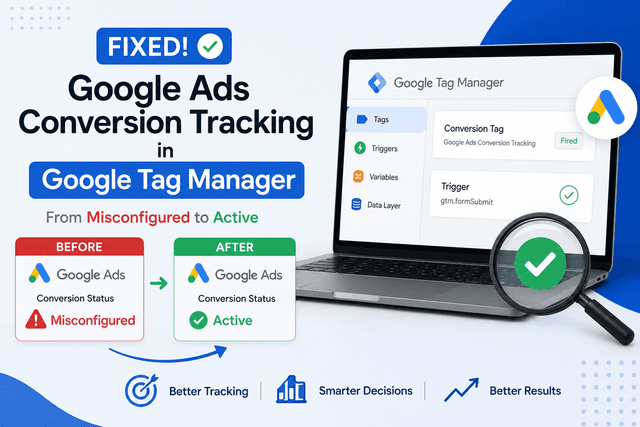
Introduction
Recently, I was preparing a Google Search campaign for a client whose primary objective was to generate qualified leads rather than website traffic.
Because the campaign would be measured by Customer Acquisition Cost (CAC), Return on Ad Spend (ROAS), and sales performance, accurate conversion tracking was essential before launch.
Everything appeared to be configured correctly. The Google Tag was installed, Google Tag Manager was live, and the conversion actions had already been created.
However, Google Ads displayed a warning that prevented the campaign from proceeding.
Status: Misconfigured
After several rounds of testing, I was able to identify the root causes and implement a solution. This article documents the exact troubleshooting process.
The Problem
While reviewing the Google Ads account, I noticed that both conversion actions displayed the status:
Misconfigured
Although the conversion actions existed, Google Ads wasn't receiving the required conversion signals.

Google Ads showing "Misconfigured" conversion actions.
Step 1: Verify the Google Tag Manager Setup
Before making any changes, I confirmed that the essential tags were already installed inside Google Tag Manager.
The container included:
Google Tag
Google Ads Conversion Tracking
Google Analytics 4
Conversion Linker
At this point, everything appeared normal.

Google Tag Manager Tags Overview.
Step 2: Test Everything Using Preview Mode
Rather than making assumptions, I opened GTM Preview Mode and tested the conversion journey.
When I clicked the WhatsApp button, something interesting happened.
The GA4 event fired successfully.
The Google Ads conversion tag did not.
This immediately narrowed the problem.
The issue wasn't Google Ads.
The issue was the trigger configuration.

GA4 event firing while the Google Ads conversion tag did not.
Step 3: Inspect the Trigger Conditions
The original trigger was configured to fire when:
Click URL contains "Get Final Price"
The problem?
"Get Final Price" was the text displayed on the button.
It wasn't part of the destination URL.
The actual link opened:
we.me
After changing the trigger to:
Click URL contains wa.me
the Google Ads conversion immediately started firing.
Google Ads changed the conversion status from:
❌ Misconfigured
to
✅ Active

Updated trigger configuration.

Google Ads conversion status changed to Active.
Step 4: Configuring Quote Request Tracking
The next conversion to configure was the quote request form.
Initially, I created a standard Form Submission trigger.
Despite the form being submitted successfully, Preview Mode showed:
Form Submit event detected
No Google Ads conversion tag fired
Step 5: Understanding the Website Framework
After inspecting the Data Layer, I noticed the website was built with a modern JavaScript framework.
The Data Layer contained internal framework references, indicating that the application handled form submissions differently from a traditional HTML form.
Although GTM generated:
gtm.formSubmit
the standard Form Submission trigger wasn't reliable for this implementation.
Step 6: The Solution
Instead of relying on GTM's Form Submission trigger, I switched to a Custom Event trigger.
Configuration:
Trigger Type
Custom Event
Event Name
gtm.formSubmit
Condition
Page Path contains /quote
This instructed Google Tag Manager to fire the conversion whenever the application pushed the custom event for a successful quote submission.
Step 7: Successful Validation
After updating the trigger, I tested the process again using GTM Preview.
This time, the Google Ads conversion tag fired successfully.
The issue was resolved.

Google Ads Request Quote conversion firing successfully.
Key Lessons
1. Always use GTM Preview before changing configurations
Preview Mode identifies exactly which tags fire and which ones fail.
Guesswork usually wastes time.
2. Don't assume Form Submission triggers work on every website
Modern JavaScript frameworks frequently handle forms asynchronously.
A Custom Event trigger is often more reliable.
3. Verify the actual destination instead of the button label
A trigger should reference what actually changes during the interaction, such as the URL, event, or Data Layer, rather than visible button text.
4. Build conversion tracking before launching campaigns
Launching without validated conversion tracking means you can't accurately measure:
Cost per Lead
Customer Acquisition Cost
Return on Ad Spend
Sales performance
Those metrics become meaningful only when conversion tracking is functioning correctly.
Final Result
By the end of the implementation:
✅ WhatsApp conversion tracking was working.
✅ Quote request conversion tracking was working.
Both conversion actions were successfully validated inside Google Tag Manager and ready for campaign optimization in Google Ads.
Conclusion
Conversion tracking is more than a technical requirement. It's the foundation of performance marketing.
Without reliable tracking, every optimization decision becomes an educated guess.
Taking the time to validate your implementation before launching campaigns ensures that future decisions are based on accurate data rather than assumptions.
Admin Strategist
Thinq Media Strategy