How to Manage Meta Ads Payments Without Billing Problems A Complete Guide for Businesses in Nigeria (Part 1)
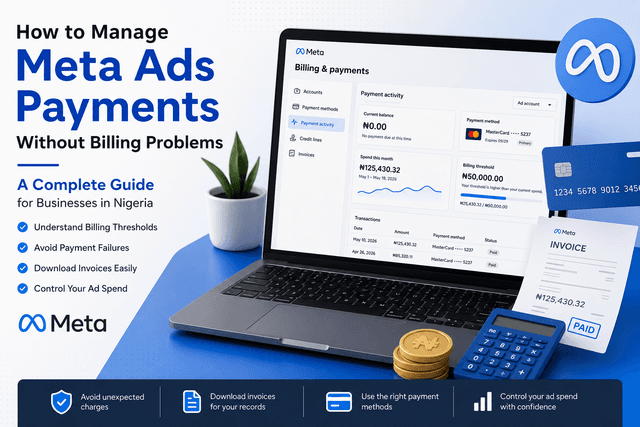
Running successful Meta Ads is more than creating great creatives and targeting the right audience. Understanding how Meta charges for advertising is just as important.
Surprisingly, billing is one of the areas that confuses many advertisers. Questions like:
Why did Meta charge my card today?
Why was I charged twice?
What is a billing threshold?
Why did my billing threshold increase?
What is an account spending limit?
How do I download my invoice?
These are some of the most common questions businesses ask after launching their first campaign.
After managing Meta ad accounts for multiple clients, I've noticed that many billing issues don't happen because Meta's system is complicated. They happen because advertisers don't fully understand how the billing system works.
This guide explains everything you need to know about Meta Ads payments in simple terms, helping you avoid unnecessary surprises and giving you more confidence when managing your advertising budget.
What Is Meta Ads Billing?
Meta Ads Billing is the system Meta uses to charge advertisers for campaigns running across:
Facebook
Instagram
Messenger
Audience Network
Every time your ads deliver impressions, clicks, leads, purchases, or other results, Meta records your advertising costs and bills your payment method according to your billing settings.
Unlike many traditional advertising platforms, where payment is made before advertising begins, Meta primarily operates on an automatic payment system.
This means Meta allows you to accumulate advertising costs first before charging your card.
Understanding when those charges happen is the key to avoiding confusion.
How Meta Charges Advertisers
One misconception I hear quite often is:
"Meta charges me randomly."
In reality, Meta doesn't charge advertisers randomly.
For advertisers using Automatic Payments, Meta charges your payment method whenever one of two events occurs:
1. You Reach Your Billing Threshold
OR
2. Your Monthly Billing Date Arrives
Whichever happens first.
This explains why you may sometimes receive multiple charges within one month.
Example
Let's assume:
Daily Budget: ₦5,000
Current Billing Threshold: ₦20,000
If your campaigns spend ₦20,000 within four days, Meta immediately attempts to charge your payment method.
Your balance then returns to zero, and spending continues.
However, if your campaigns only spend ₦12,000 before your monthly billing date arrives, Meta simply charges the outstanding ₦12,000 instead of waiting for you to reach ₦20,000.
This is completely normal.
💡 Thinq Media Insight
One of the biggest misconceptions is that Meta only charges advertisers after campaigns end. In reality, Meta charges throughout the campaign whenever your billing threshold is reached or your monthly billing date arrives.
Automatic Payments Explained
Most businesses in Nigeria use Automatic Payments, especially those paying with debit or credit cards.
Here's how it works.
Add your payment method.
Launch your campaigns.
Meta records your advertising spend.
Meta automatically charges your card based on your billing threshold or monthly billing date.
There is no need to manually approve every payment.
For most advertisers, this is the simplest and most convenient billing option.
Why Automatic Payments Are Useful
Automatic payments offer several advantages:
Campaigns continue running without requiring manual top-ups.
Billing is automated, saving time.
You can focus on campaign performance rather than making frequent payments.
Invoices are generated automatically, making financial reporting easier.
For agencies managing multiple campaigns, automatic billing is generally the preferred option.
What Is a Billing Threshold?
This is probably the most misunderstood concept in Meta Ads.
A Billing Threshold is simply the amount your ad account is allowed to spend before Meta charges your payment method.
Think of it as a temporary credit limit.
Key points:
Set automatically by Meta
Determines when you're billed
May increase over time based on payment history
Does not stop your ads from running
Why Does Meta Increase Billing Thresholds?
Many advertisers notice something interesting.
They may begin with a low billing threshold, but after several successful payments, that threshold increases automatically.
This is intentional.
As Meta builds confidence in your payment history, it may gradually increase your billing threshold.
Example of How a Billing Threshold Can Grow
A new advertiser may start with a lower billing threshold.
After several successful payments, Meta may increase it.
For example:
New account → Around ₦5,000
Good payment history → Around ₦25,000
Established advertiser → Higher thresholds may apply
Remember, these are examples. Your actual billing threshold depends on factors like payment history and account activity.
Monthly Billing Date Explained
Another question I frequently receive is:
"Why did Meta charge my card even though I hadn't reached my billing threshold?"
The answer is simple.
Every ad account has a monthly billing date.
If your advertising spend hasn't reached your billing threshold by that date, Meta charges whatever balance is outstanding.
Example
Billing Threshold:
₦20,000
Current Spend:
₦9,300
Monthly Billing Date Arrives
Instead of waiting for you to spend ₦20,000, Meta simply charges the ₦9,300 balance.
This prevents balances from carrying forward indefinitely.
What Is an Account Spending Limit?
An Account Spending Limit is a safeguard that allows you to control how much your ad account spends.
Once the limit is reached:
Campaign delivery pauses.
No further advertising spend occurs.
Ads resume only after you increase, reset, or remove the limit.
This is particularly useful for:
Small businesses with strict budgets.
Agencies managing client spending.
Businesses want to prevent accidental overspending.
The Difference
Billing Threshold: Controls when Meta charges your payment method.
Account Spending Limit: Controls when Meta stops spending your advertising budget.
Managing Meta Ads goes beyond launching campaigns. It also involves understanding billing, reporting, and campaign optimization.
If you'd rather focus on growing your business while experts manage your Meta advertising, Thinq Media can help. From campaign setup and optimization to billing management and reporting, we help businesses run smarter, more accountable Meta Ads.
Admin Strategist
Thinq Media Strategy