How to Manage Meta Ads Payments Without Billing Problems A Complete Guide for Businesses in Nigeria (Part 3)
In Part 1, we explained how Meta Ads billing works, including billing thresholds, automatic payments, monthly billing dates, and account spending limits.
In Part 2, we covered payment failures, invoices, common billing questions, and troubleshooting.
In this final part, we'll focus on best practices that help businesses avoid billing issues and manage their Meta advertising more effectively.
Best Practices for Managing Meta Ads Payments
Running successful Meta Ads isn't just about creating great campaigns.
It also requires good financial management.
The following practices can help you avoid unnecessary billing issues while keeping your advertising account organized.
1. Use a Dedicated Business Payment Method
One of the biggest mistakes many businesses make is using a personal debit card to pay for business advertising.
While this may seem convenient initially, it quickly becomes difficult to:
Track advertising expenses
Separate business and personal transactions
Reconcile monthly invoices
Manage multiple campaigns
Whenever possible, use a dedicated business debit card, credit card, or company payment method exclusively for advertising.
2. Review Your Payment Activity Regularly
Don't wait until something goes wrong.
Make it a habit to review your Payment Activity at least once a month.
This helps you:
Verify successful payments
Spot failed transactions
Download invoices
Monitor advertising costs
A few minutes each month can save hours of troubleshooting later.
3. Download Your Invoices Monthly
Many advertisers only download invoices when their accountant asks for them.
Instead, create a monthly routine.
At the end of every month:
✔ Download your invoices.
✔ Save them in clearly labelled folders.
✔ Match each invoice to the corresponding advertising campaign or client.
This makes bookkeeping significantly easier.
4. Monitor Your Billing Threshold
As your advertising account grows, Meta may increase your billing threshold.
That's generally a positive sign because it reflects a strong payment history.
However, higher thresholds also mean larger charges when payments are processed.
Always ensure sufficient funds are available before reaching your billing threshold.
5. Keep Your Payment Method Updated
Cards expire.
Banks replace cards.
Businesses change payment methods.
If your payment information changes, update it immediately inside Ads Manager.
Waiting until a payment fails may interrupt active campaigns.
6. Set an Account Spending Limit
If you're working with a fixed advertising budget, an Account Spending Limit can help prevent overspending.
This is particularly useful for:
Small businesses
Startups
First-time advertisers
Agencies managing client budgets
Remember:
An Account Spending Limit controls spending.
A Billing Threshold controls payments.
They are not the same.
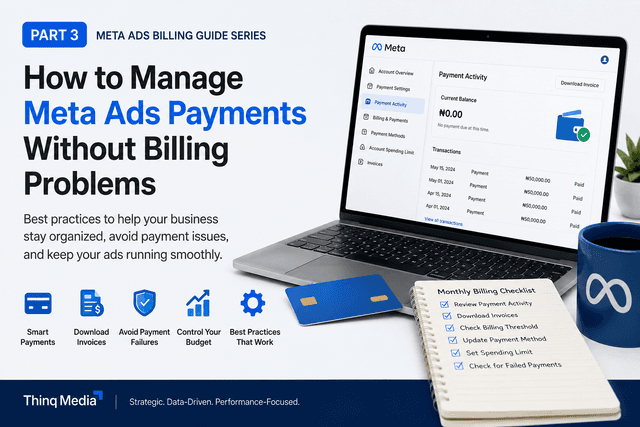
A Simple Monthly Billing Checklist
Before launching or reviewing campaigns each month, ask yourself:
✅ Is my payment method still active?
✅ Are there enough funds available?
✅ Have I downloaded last month's invoices?
✅ Have I reviewed my Payment Activity?
✅ Is my Account Spending Limit still appropriate?
✅ Have I checked for failed payments?
Building these habits can prevent most billing-related issues before they happen.
How Thinq Media Manages Meta Ads Billing
At Thinq Media, we believe campaign management goes beyond launching ads.
Every campaign is supported by a structured process that includes:
Budget planning
Payment monitoring
Invoice management
Performance reporting
Continuous optimization
Because successful advertising isn't just about generating results.
It's also about maintaining transparency and accountability throughout the campaign.
Common Questions We Receive
"Can I change my payment method while campaigns are running?"
Yes.
However, it's advisable to ensure the new payment method is successfully added before removing the old one.
"Can Meta increase my billing threshold?"
Yes.
Meta may increase your billing threshold over time based on your payment history and account activity.
"Will my ads stop if my payment fails?"
Eventually, yes.
Meta will usually retry the payment first.
If payment continues to fail, campaign delivery may pause until the outstanding balance is paid.
"Should I use my personal debit card?"
For occasional advertising, it may be acceptable.
For businesses running regular campaigns, a dedicated business payment method is strongly recommended.
Final Thoughts
Meta Ads billing isn't as complicated as it first appears.
Most payment problems happen because advertisers don't fully understand how Meta's billing system works.
Once you understand:
Billing Thresholds
Monthly Billing Dates
Payment Activity
Account Spending Limits
Invoice Management
you'll spend less time worrying about payments and more time improving campaign performance.
The goal isn't simply to keep your ads running.
It's to build a structured advertising process that supports long-term business growth.
Need Help Managing Your Meta Ads?
Managing Meta Ads involves much more than launching campaigns.
It requires strategic planning, proper billing management, continuous optimisation, accurate reporting, and ongoing performance analysis.
If you'd like expert support managing your Meta advertising, Thinq Media is here to help.
Whether you're launching your first campaign or scaling an existing one, we'll help you make better advertising decisions backed by data and experience.
Ready to grow your business with Meta Ads?
Get in touch with Thinq Media today.
Admin Strategist
Thinq Media Strategy